Configuration Panel
Pop-Up Slicer Panel Overlay
Overview
Features
Prompts
Help
Key Features
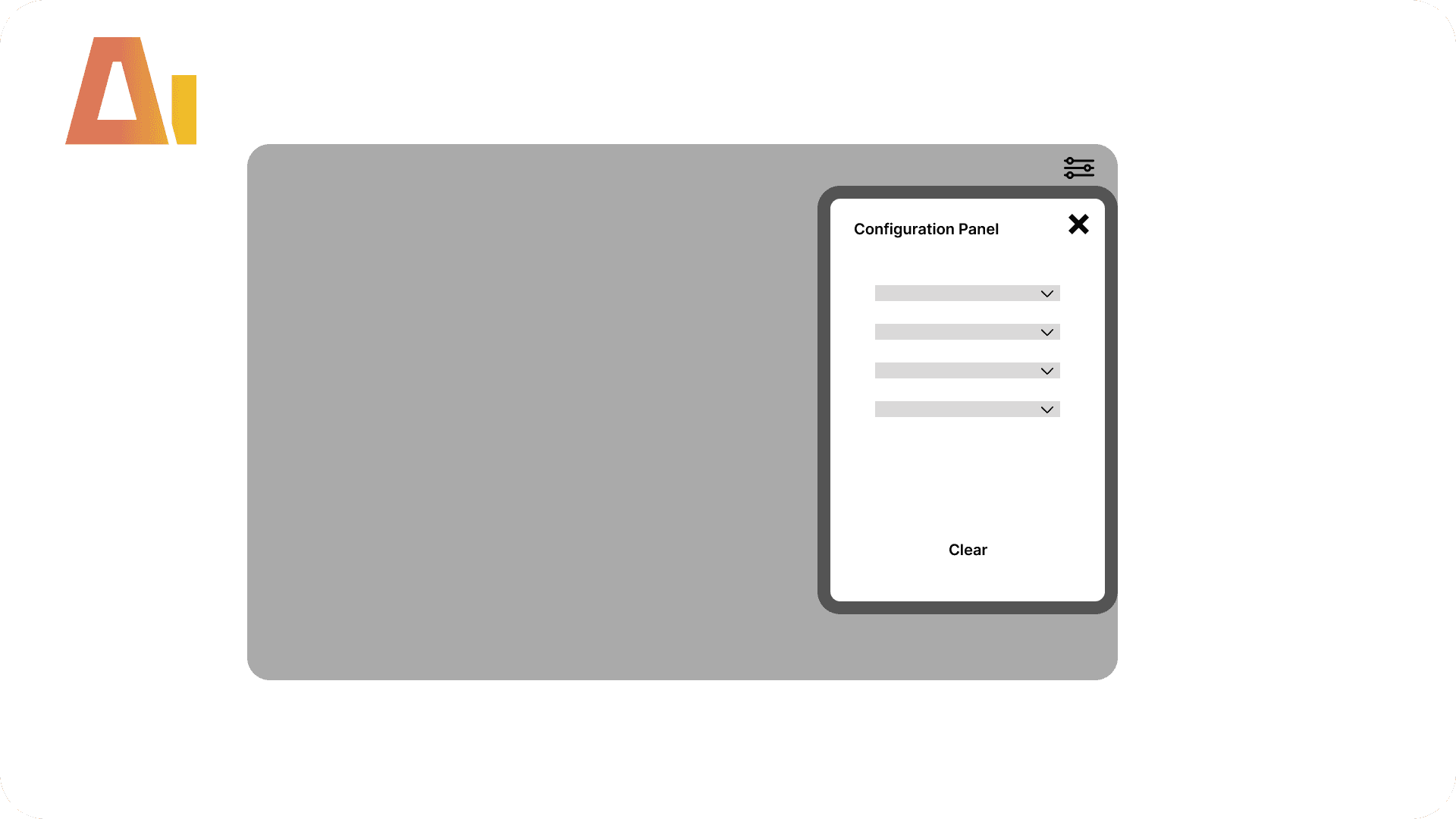
ometimes you want your slicers out of the way but don't want to send people off to another page to use them. A panel that pops up over the canvas and dismisses with a click is the nicer experience — but building one by hand is fiddly. The slicers have to sit inside a group that shows and hides together, the white background has to sit behind everything (put it in front by accident and your slicers vanish), and the show, hide, and clear actions each need their own bookmark wired to the right button.
This skill builds the floating panel for you — a filter button opens it, your slicers sit inside, and Close and Clear dismiss or reset it — all on one page with no navigation — run it with /config-panel.
How it works
Type /config-panel, give it the page and the slicers to include, and the skill sets it all up:
Gathers your slicers — moves each one into place inside the panel (the slicers themselves, no copies)
Groups them together — wraps the panel into a single named group that shows and hides as one, visible in the Selection pane
Adds the backdrop — a white rounded-rectangle panel sat behind the slicers
Adds the trimmings — a panel title, a Close button at the top right, and a Clear button at the bottom
Adds the opener — a filter button on the main page that stays put while the panel comes and goes
Wires the bookmarks — one to show the panel, one to hide it, and one to clear the selections
What you get
A pop-up panel — your slicers grouped into one tidy panel that shows and hides together
A white backdrop — a rounded rectangle sat behind the slicers, sized to the panel
A panel title — a heading beside the close button
Your slicers, rearranged — moved into the panel in place, no copies to keep in sync
A Close button — top right of the panel, dismisses it
A Clear button — resets every selection, and reads clearly on any theme
A filter button — always visible on the main page, opens the panel
The bookmarks behind it all — show, hide, and clear, each wired to the right button
Explore more in this category
Absolute / Percentage Toggle
Build
Add a tile slicer to any chart that switches between absolute values and percentages

Active Filters Card Visual
Build
Generate a card visual that dynamically displays all currently active slicer and filter selections.

Apply rounded
Build
Convert standard column or bar charts to a lollipop "rounded column" style using Power BI's native error bar feature
Clone Page
Build
Clone any report page with all visuals and bookmarks
Tool Information
Skill
39 USD
Bundle (All skills)
249 USD
Category
Build
Version
Version 2.2.2.2.6.2
or log in if you already have an account