PBIP vs PBIR: the distinction nobody's making (and why it quietly became urgent in 2026)
PBIP vs PBIR: the distinction nobody's making (and why it quietly became urgent in 2026)
Every few weeks someone asks me the same question about my Power BI automation skills:
"Are you using PBIR?"
It's a fair question. It's also the wrong question — or rather, it reveals the thing almost nobody has straight. Because "PBIR" and "PBIP" are not two names for the same thing, and not two competing things either. One lives inside the other. And in 2026 that nested relationship stopped being trivia and started being the reason a whole class of tooling — mine included — works at all.
Here's the entire confusion in one line, and the cleanest way I've found to remember it:
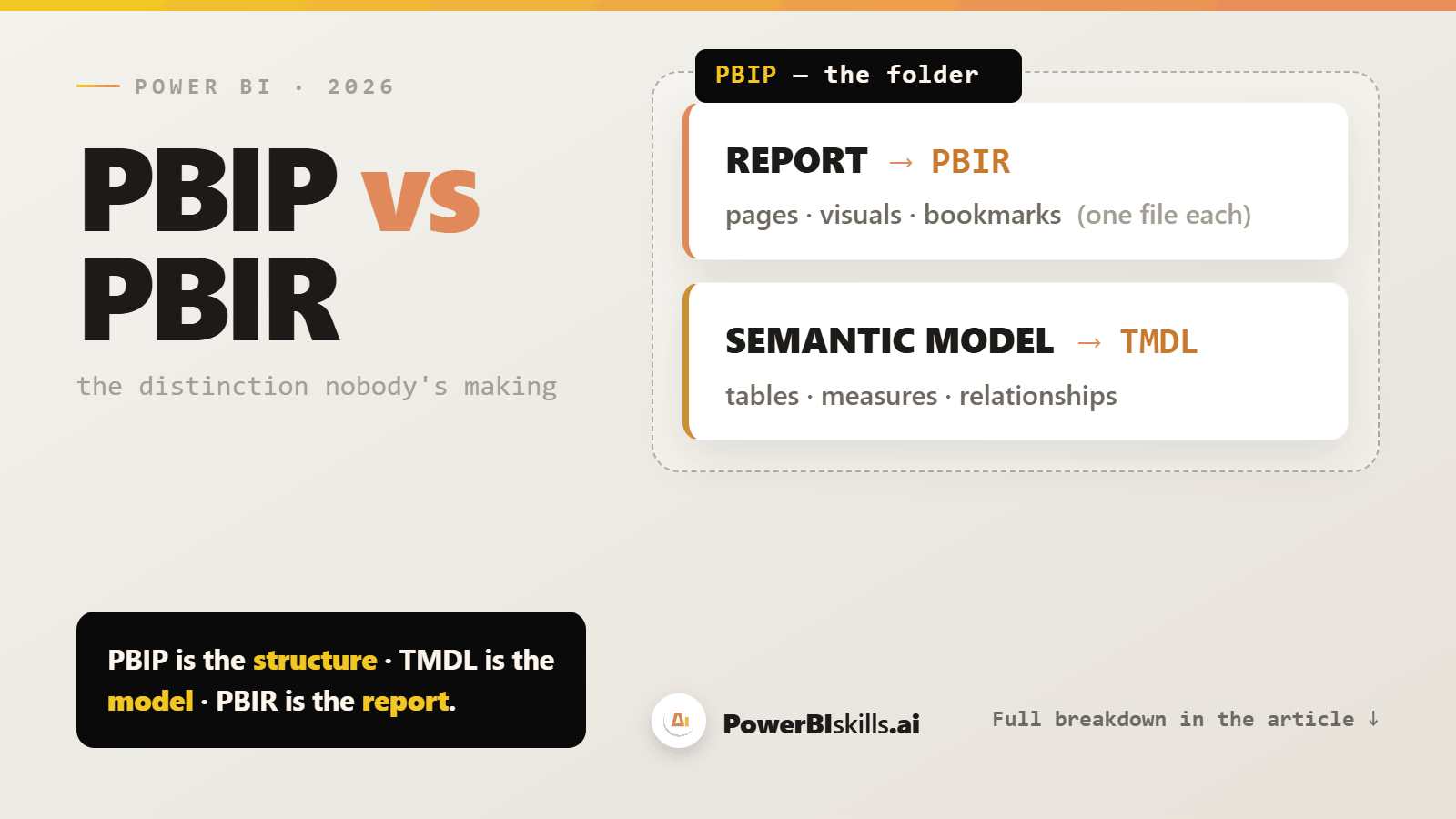
PBIP is the structure. TMDL is the model. PBIR is the report.
Let me unpack that, because the moment it clicks, a lot of "AI is going to write our reports now" hype resolves into something much more concrete and much more useful.
The container vs. the contents
PBIP — Power BI Project — is not a file format in the interesting sense. It's a folder. When you save a .pbix as a project, Power BI Desktop explodes your work into plain-text files in a tidy structure: a .SemanticModel folder, a .Report folder, and a small .pbip pointer file that just says "open this report." That's it. PBIP is the box.
Inside the box are two different things, serialized two different ways:
The semantic model — your tables, relationships, measures, partitions — is written in TMDL (Tabular Model Definition Language), the modern text-first model format: human-readable, one file per table, diff-friendly. (Older projects may still use the original JSON serialization, TMSL /
model.bim; TMDL is the human-friendly successor, and what these skills target.)The report — your pages, visuals, bookmarks, interactions — is written in PBIR (Power BI Enhanced Report Format).
So when someone asks "are you using PBIR?", the honest answer is: PBIR is only half of it. My skills work on both layers, and most of the interesting ones work on both at the same time. More on that below — it's the whole point.
What actually changed under the hood
For years the report half of a project was a single, gnarly file: report.json — now politely called PBIR-Legacy. One enormous JSON blob holding every visual on every page. Technically text, practically unmergeable. Two developers touching the same report meant a merge conflict you'd resolve with prayer.
PBIR replaces that one blob with a folder of small files. In Microsoft's own words, it "organizes each visual, page, bookmark, and so on, in separate individual files within a folder structure." Each visual becomes its own visual.json. Each page, its own page.json. Each bookmark, its own file. And — critically — every one of those files has a public JSON schema, so editors can validate them and non–Power BI applications can modify them in a fully supported way.
That last clause is not a footnote. It's the headline. Microsoft explicitly frames PBIR as the format that lets "AI agents and scripts programmatically create, edit, and manage Power BI reports in a fully supported way."
Read that again. The vendor built the format so that tools like this could exist. The exploded, per-object file structure isn't a side effect — it's the enabling condition. You cannot do surgical, repeatable, reviewable edits to a single report.json that runs to tens of thousands of lines. You can do them when each visual is its own validated file. (Microsoft's own docs list "apply a batch edit across all visuals using a script" as a built-in scenario.)
Why this got urgent in 2026
This used to be a niche preview that only early adopters opted into. That's changing fast:
Since early 2026, new reports in the Power BI service default to PBIR, and existing reports convert when edited and saved (the service rollout completed around April 2026). Power BI Desktop adopted the same default with its May 2026 release. The format is still officially in preview ahead of GA — but in practice it's already becoming the norm.
At General Availability — planned for later in 2026, and not yet reached — PBIR becomes the only supported report format, conversion becomes mandatory, and PBIR-Legacy is retired. Everything converts.
In other words: the format my skills depend on is no longer a niche choice. It's becoming the floor. If you maintain Power BI reports, you are getting PBIR whether you went looking for it or not — which means the question is no longer "should we use PBIR?" but "is our tooling, our review process, and our team ready for reports that are now code?"
(One transitional detail worth knowing, because it bit my own test project: during the service rollout, automatic upgrade was initially limited to smaller reports — as of early 2026, those under ~100 visuals — and enterprise dashboards routinely blow past that. Check the current threshold; don't assume a big report has already converted.)
And if you only ever touch PBIX, not PBIP? It still reaches you — silently. Microsoft says PBIX "will remain the primary file format," and that for PBIX users the switch is "completely silent." But the report inside a PBIX is moving to PBIR as well. The format is going universal; most people just won't see the seams.
So — which parts do my skills actually touch?
This is the comparison people actually want when they ask "are you using PBIR." The answer is "yes, and TMDL, and usually both in one move." At a high level the work lands on two surfaces:
The semantic model (TMDL, in the PBIP folder) — the data side: tables, relationships, and measures.
The report (PBIR) — the presentation side: pages, visuals, slicers, interactions, and bookmarks.
And here's the part that makes the PBIP-vs-PBIR distinction matter instead of just being pedantry: the useful skills span both layers in a single operation.
Take one example — a rolling time-period slicer added to an existing chart. To a user, "a slicer appeared and it works." Under the hood it's a single coordinated edit across both formats: something new on the TMDL (data) side, and something new on the PBIR (report) side, wired together so they behave as one.
Miss either layer and you get the classic half-finished automation — a measure no visual references, or a slicer that filters nothing. The reason the result holds together is precisely that the tool treats PBIP and PBIR as the two distinct surfaces they are — and knows which truth lives where.
Some skills are single-layer, and that's fine: a duplicate-measure finder or a measure-description writer never leaves TMDL; a page-cloner or a title-formatting auditor never leaves PBIR. But the ones that feel like magic are the ones that weld the model layer to the report layer — and you simply cannot do that if the two are a blur in your head.
The craft the open format doesn't remove
Here's the sober counterweight to the "reports are just JSON now, anyone can script them" optimism. Open and documented removes the guesswork. It does not remove the craft.
PBIR is a strict format: Power BI Desktop checks the files when it opens them, and the bar for "valid" is high. The distance between a script that works once on your machine and tooling you'd trust unattended on a production report lives almost entirely in details like that — a long tail of small correctness rules, most of them learned the hard way, each one the quiet difference between a change that holds and one that silently breaks.
That accumulated reliability — not any single clever pattern — is the real work, and it's the part you can't shortcut by reading an article. The open format is the invitation. The reliability is still earned.
What this means for you
If you're a Power BI developer: your reports are becoming a folder of diffable files. Learn the two layers. The skill ceiling just went up — "I can hand-edit a visual.json and have Desktop accept it" is the new "I can write good DAX."
If you're a BI / data lead: PBIR is what finally makes Git, pull-request review, and CI/CD real for reports, not just semantic models. Your governance story now extends to the report layer. Budget for the conversion (mind the 100-visual threshold) and decide your review standards now.
If you're an AI / data lead: the vendor just declared the report layer programmable "in a fully supported way." That is the green light for agentic tooling on Power BI — but the leverage comes from tools that respect the two-layer structure and earn their reliability, not from a chatbot that emits a plausible JSON blob.
So, "Are you using PBIR?" Yes. And TMDL. And the entire reason the automation is trustworthy rather than merely impressive is that it never confuses the two.
The distinction nobody's making is the one that's about to be unavoidable.
Pawel